Automate Reports/Dashboards Scheduled Subscriptions

Maximize the impact of your Kyubit Business Intelligence environment by delivering OLAP analyses and business dashboards directly to user inboxes via automated email subscriptions.

Every authorized user can subscribe to specific content and receive scheduled updates in HTML format with embedded images or high-resolution PDF documents. This ensures stakeholders stay informed with fresh data without manually accessing the portal.

Users can oversee all their active email schedules within the **Dashboards** section. From here, you can monitor, edit, or delete existing scheduled reports.

Kyubit BI Subscription Management Dashboard
  • Open any report or dashboard to check for existing schedules.
  • Kyubit BI Subscription check
  • Click the “Subscribe” link to open the configuration form where you can manage recurring deliveries.
  • BI Subscription creation form
Kyubit BI Subscription scheduling details

  • Subscription Title: The subject line for the email delivery.
  • Frequency: Define delivery patterns: Weekly (specific days), Monthly, or Once.
  • Recipients: Enter multiple email addresses separated by semicolons.
  • Content Types: Choose between a simple link, an embedded dashboard image, or a full PDF document.
Leverage KPI software features to trigger emails only when specific conditions are met. For example, if a Key Performance Indicator enters a "Fail" or "Critical" status, the system can automatically send an alert to notify appropriate team members immediately.
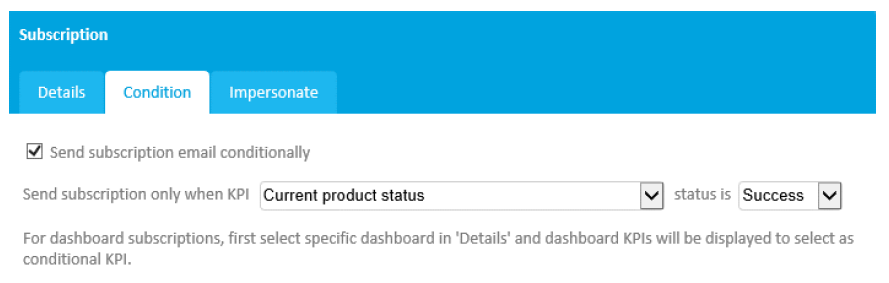
Kyubit BI Conditional KPI alerts

For more details on setting up the back-end infrastructure, see our Subscription Service Setup guide or our BI Tools FAQ.