Give your PostgreSQL schema a business vocabulary
Application schemas describe how data is stored. Business users need to understand revenue, products, customers and time. Use Kyubit's visual semantic modeling to turn those relationships into a reusable analytical structure.
- ConnectCreate a PostgreSQL data source and verify access to the required tables.
- ModelChoose a fact table, join related tables and define measures and dimensions.
- ProcessImport and prepare the selected data in a Kyubit analytic model.
- ExploreUse the processed model for grid analysis, reports and dashboards.
Start with one subject area, such as invoice lines linked to customers and products. Check the meaning of each row before adding relationships, so joins do not multiply revenue. Keep transaction identifiers as Dimension Details when users need record-level context rather than another grouping axis.
Native PostgreSQL connectivity, with a deliberate reporting boundary
Connect the tables your team needs
Configure the PostgreSQL endpoint, database and connection account in Kyubit. Confirm that the account can read the intended schemas and objects, then inspect sample records before building the model. Give reporting access to the relevant data rather than exposing every application table.
Prepare clear analytical columns
Use suitable relational columns for amounts, categories and dates. If an application stores nested JSON, arrays or custom values, prepare a reporting view or query that exposes the fields you need as ordinary columns, and validate their mapping. Connectivity is not a promise that every PostgreSQL-specific type is an analytical attribute.
Already have reporting views? Include them in your connection evaluation and use the supported modeling or SQL-query workflow for your objects. The visual model designer guide explains the core setup steps.
Self-hosted PostgreSQL BI with a separate application tier
Your PostgreSQL server can remain in its existing environment, including Linux. Kyubit runs on Windows/IIS and connects over the configured network connection. Users access Kyubit through their browsers; they do not need a PostgreSQL query tool.
Plan the Kyubit environment
Include Windows/IIS and Microsoft SQL Server for Kyubit's internal databases in your deployment plan. PostgreSQL is the analytical source; it does not replace those application prerequisites.
Publish controlled reporting access
Configure Kyubit users and object permissions for models, reports and dashboards. Review the connection account separately: database grants and application permissions serve different purposes.
No upload to a vendor-hosted analytics service is required. Processing brings selected source data into Kyubit's analytic environment; plan access, storage and backups accordingly.
From an application database to a shared dashboard
Bring monthly revenue, product mix and regional performance into one view. Let readers use dashboard slicers, and schedule recurring reports for the people who need a regular update.
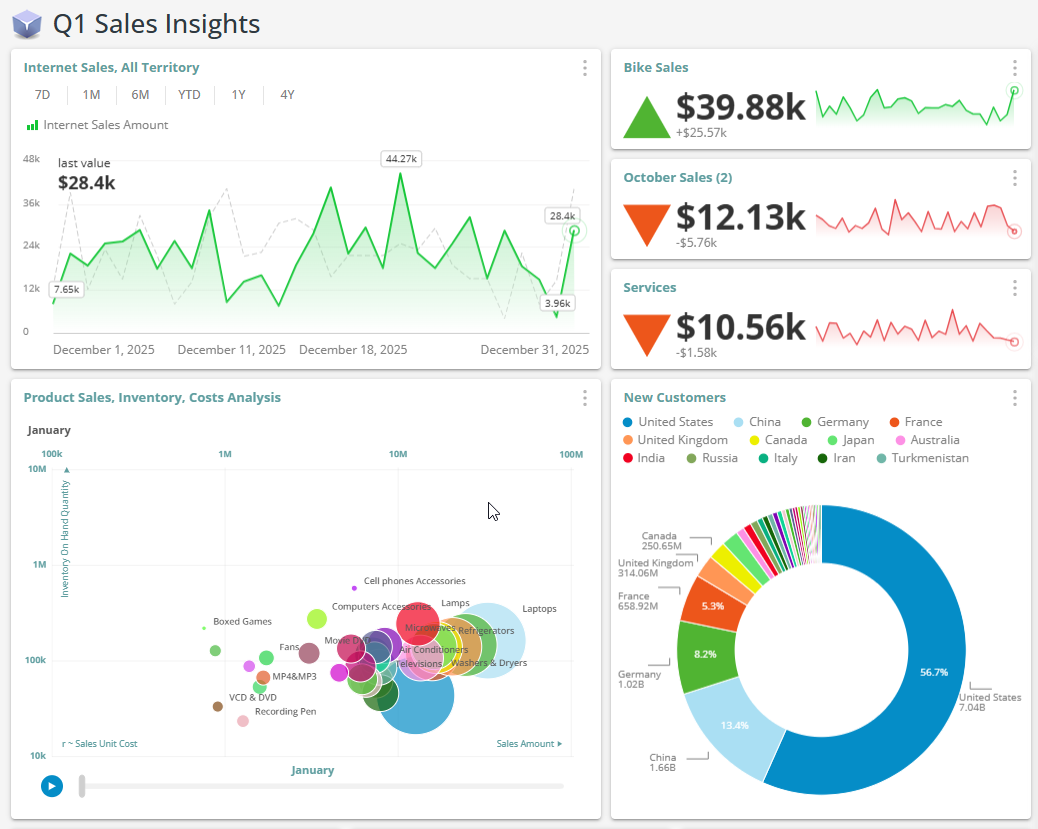 Kyubit interface example using sample data.
See dashboard capabilities and scheduled report delivery.